Tutorial: how to program in Java? --- A graph drawing example.
A guest lecture to Math152 at UCSD on Oct. 13, 2000.
- Why do we choose Java?
- How to setup a Java programming environment?
- Under Linux (or Unix).
- Under Windows (98/2000/NT).
- How to start programming?
- Basic topics in Java.
- What can you do for this graph drawing example?
1. Why do we choose Java?
Because Java is a cross-platform language. Once you write a code, it could
be run on many platforms. For example, I wrote these examples at home. My home
computer runs Linux. I uploaded these examples onto server "euclid" of Math
department, which runs Solaris (unix). Here, I use a notebook running
Windows to show you guys. Java is the nature choice of programming
language if portability is important to you.
2. How to setup a Java programming environment?
You only need JSE and a text editor, anyway.
But a good environment will save you a lot of time later. I recommend
a combination of JSE,
EMACS and JDE. They are free, in
good quality, and available to major platforms.
Linux/Unix
Emacs usually comes with the unix system. There is a good chance that
JSE is also installed. But you may want to install the
latest JSE.
See JDE's homepage for how to
install JDE.
Windows (98/2000/NT)
First you need to install the latest JSE for windows. Then install
emacs. A good starting page is
GNU Emacs on Windows NT and Windows 95/98. It explains everything
you need to install emacs under windows, including JDE.
3. How to start programming?
An easiest way is to modify someone's existing codes. (But beware of
copyright, it is permitted to modify software under GPL License.)
You do minor changes. You can see the result immediately.
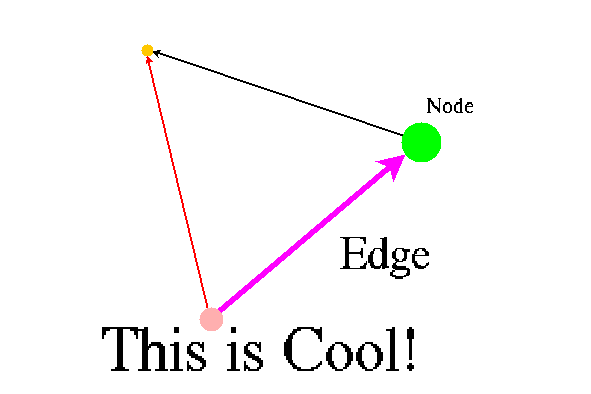
Let us look at this
example.
We find that the thickness of edges can not be changed. Let us fix
it.
We modify the following line in the file "DirectedEdge.java".
g.drawLine(p1.x(),p1.y(),p2.x(),p2.y());
to
    int[] xtemp=new int[4];
    int[] ytemp=new int[4];
    int dx,dy,wx,wy,sx,sy,tx,ty;
    dx=p1.x()-p2.x();
    dy=p1.y()-p2.y();
    int re = end.size;
    int rs = start.size;
    double radius= Math.sqrt(dx*dx+dy*dy);
    wx=(int ) (((double) dy) / radius *  size/4.0);
    wy=(int ) (-((double) dx) / radius *  size/4.0);
    sx=(int ) (((double) dx) / radius *  rs);
    sy=(int ) (((double) dy) / radius *  rs);
    tx=(int ) (((double) dx) / radius *  (re+size/1.4));
    ty=(int ) (((double) dy) / radius *  (re+size/1.4));
    if(wx==0 && wy==0){
	g.drawLine(p1.x(),p1.y(),p2.x(),p2.y());
    }
    else{
	xtemp[0]=p1.x()-wx -sx;
	xtemp[1]=p2.x()-wx +tx;
	xtemp[2]=p2.x()+wx +tx;
	xtemp[3]=p1.x()+wx -sx;
	ytemp[0]=p1.y()-wy -sy;
	ytemp[1]=p2.y()-wy +ty;
	ytemp[2]=p2.y()+wy +ty;
	ytemp[3]=p1.y()+wy -sy;
	g.fillPolygon(xtemp,ytemp,4);
    }
First Edit the file DirectedEdge.java. Then compile it.
javac DirectedEdge.java
Restart browser and point to the example. We made the improvement!
Let us look at another example. Now we want to change colors of nodes,
edges interactively. We need a new file called
PopupColorMenu.java
Then edit DirectedGraphCanvas.java. Insert the following lines to the
fucntion mousePressed().
public void mousePressed(MouseEvent e){
    ....

    if((e.getModifiers() & e.ALT_MASK)!=0){
	//add PopupColorMenu
	PopupColorMenu pcMenu=new PopupColorMenu(Selectable.selected);
	add(pcMenu);
	pcMenu.show(this,e.getX(),e.getY());
	e.consume();
	return;
     }

  ...
}
That's it!
4. Basic topics in Java.
- Class Hiearchy of graph drawing.

Selectable class is the parent of DirectedEdge class and
DirectedVertex class. By defining labels in Selectable class, the
children classes---DirectedEdge and DirectedVertex automatically have labels.
- Now look at the example of PopupColorMenu.java.
import java.awt.*;
import java.awt.event.*;
These are packages.
class PopupColorMenu extends PopupMenu implements ActionListener {
PopupMenu is the parent class. ActionListener is an interface. You must define
a function called "actionPerformed".
    static Color colors[]={Color.black,Color.blue,Color.cyan,Color.green,
                           Color.magenta,Color.orange,Color.pink,Color.red,
                           Color.white};
    static String names[]={"black","blue","cyan","green",
                           "magenta","orange","pink","red",
                           "white"};
Static fields only have one copy per class. These are colors and colors names.
private Selectable selectable;
Private field can not be accessible by other objects.
    PopupColorMenu(Selectable selectable){
        super();
        this.selectable=selectable;
        for(int i=0;i< colors.length;i++){
            MenuItem temp=new MenuItem(names[i]);
	    temp.addActionListener(this);
            add(temp);
        }
        addActionListener(this);
    }
This is contructor.
    public void actionPerformed(ActionEvent e){
        Color color=Color.black;
        for(int i=0;i< colors.length;i++){
            if(names[i]==e.getActionCommand()){
                System.out.println(i);
                color=colors[i];
                break;
            }
        }
        try {
            selectable.color=color;
        }
        catch(NullPointerException ex){
            ex.printStackTrace();

            Selectable.defaultColor=color;
        }
    }
Define what happen after a color is selected.
}
End of the class.
What you can do for this graph drawing example?
There are many things that you can improve this graph drawing example.
- New node styles and edges styles. For example, you may want to use
a pixmap to represent a node. Edges can be dashed lines, dotted lines,
and even curved.
- Labels. You may want to select fonts and colors
interatively.
- Graph layout algorithm. Let the software put nodes and edges
nicely for you. For example, a planar graph should be drawn without
edges crossing.
- Graph data format. Design a good way to save your work and exploit
to other forms.
Prepared by Linyuan Lu.